I recently came across an error when setting up an Application Gateway instance that uses Key Vault certificate references in my Listener TLS Certificates store.
I was adding this to enable the termination of client TLS connection at the gateway. However when I set this up and started testing some API calls with this listener, I received the error:
Error: write EPROTO 7812463:error:199934:SSLroutines:OPENSSL_internal:TLSV1_ALERT_UNRECONGIZED_NAME alert number 112.
This was confusing, because our Key Vault has been working fine with connections from other resources (such as API Management) and we thought our networking and permission model setup was all fine.
After some troubleshooting, I decided to manually upload the certificate to AGW Listener Certificates, to see if it was the actual certificate causing the issue. Once I did this, and set up my listener to use this new TLS Cert, my APIs started working fine with HTTPs even though the exact same certificate was used.
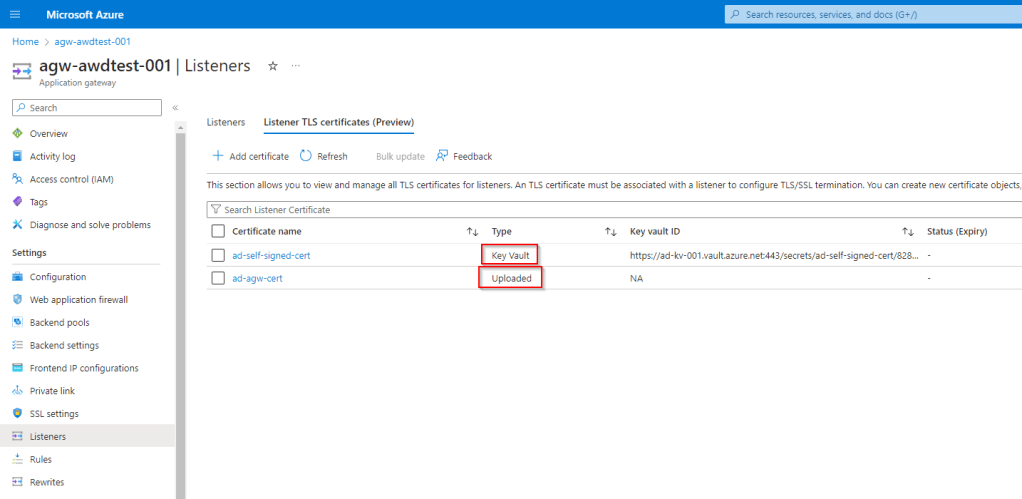
The issue and solution:
So the core issue comes from our networking architecture setup. In our environment, we are using a Hub-Spoke model. In this setup, we are using custom DNS Servers, that forward queries to the Private DNS Zone linked to our hub virtual network. The key cause of the issue here is that the Private DNS Zones are only linked to the Hub Virtual Network -not each individual spoke.
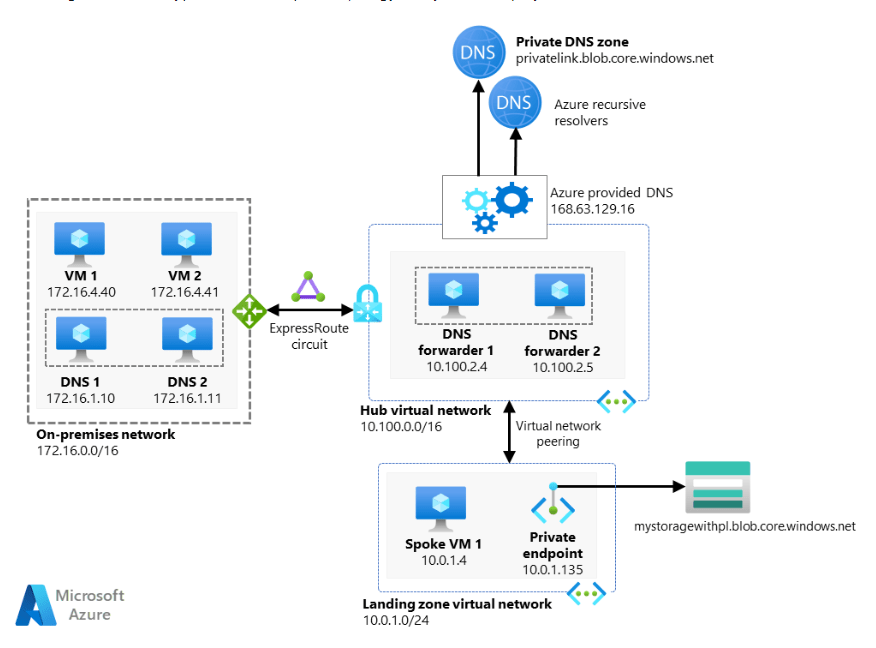
Unfortunately this model exposes a limitation of App Gateway when querying DNS. App Gateway does not use custom DNS servers when trying to resolve a private endpoint domain, so it can’t resolve our private endpoint for Key Vault and access the certificate.
Other resources, like VMs and APIM, do not have this limitation which is why we were getting inconsistent results across resources when using the same setup.
The solution for this is to link the private DNS Zone for Key Vault directly to the spoke virtual network where your Key Vault and App Gateway is deployed. Once this is done, your app gateway should be able to pull the required certificate from Key Vault.
Hopefully this can help other users who have run into a similar issue!

 Alex D'Antico Tech
Leave a comment