
I’ve recently been looking into various methods to improve the security posture of an Azure environment using the various frameworks available. One area that often causes confusion is understanding which security benchmark to use as a foundation for Azure environments. The Microsoft Cloud Security Benchmark (MCSB) is Microsoft’s primary and default security benchmark for Azure, providing focused guidance tailored to Microsoft’s cloud platform. In this post, I’ll provide a summary of the MCSB and highlight the benefits of applying its guidance to your cloud adoption journey.
By adopting a framework-based approach to Azure security—specifically leveraging the Microsoft Cloud Security Benchmark—organizations can ensure consistent implementation of security controls, systematically address compliance requirements, and develop a security posture that evolves alongside both emerging threats and expanding cloud workloads.
Preventative vs Detective vs Responsive Controls
When designing and maintaining an Azure environment, it’s important to consider three types of security controls to create a defense-in-depth approach:
| Control Type | Description | Example services |
| Preventative | Help avoid security incidents before they happen by reducing your attack surface and enforcing security guardrails. | Network Security Groups and Azure Firewall Azure Policy and Role-Based Access Control Private Link and Service Endpoints Azure DDoS Protection |
| Detective | Identify potential security issues, breaches, or suspicious activity that indicate a security incident is occurring | Microsoft Defender for Cloud Azure Monitor and Log Analytics Azure Sentinel |
| Responsive | Help react to security incidents, contain damage, and restore systems to normal operations. | Azure Backup and Site Recovery Microsoft Sentinel Playbooks |
The Microsoft Cloud Security Benchmark provides guidance that covers all three of these control categories, helping you build a comprehensive and resilient security posture across your Azure environment.
What the is the Azure Security Benchmark?
Firstly let’s touch on the Azure Security Benchmark. You may have seen this floating around when researching which standards/frameworks to apply to your environment.
Put simply, Azure Security Benchmark has evolved into the Microsoft Cloud Security Benchmark, which expands the scope beyond Azure to include other cloud services. This provides for users a single control framework to easily meet the security controls across clouds. This means that the latest Azure Offer Security Baselines v3.0 referenced below are aligned with the Microsoft Cloud Security Benchmark.
Long story short, just use the MCSB!
The Microsoft Cloud Security Benchmark (MCSB)
This is Microsoft’s foundational security guidance, designed to help organisations establish a baseline for their cloud deployments.
The primary purpose of MCSB is to provide organizations with a coherent, standardized approach to implementing security controls across their environments, helping them meet compliance requirements and reduce their overall security risk.
This is a framework that is made up of high-impact security recommendations that give you a baseline to help you secure your cloud services in a single or multi-cloud environments.
The MCSB is actually a holistic set that incorporates baselines and standards from other well known frameworks including the below:
- Cloud Adoption Framework
- Azure Well-Architected Framework
- The Chief Information Security Officer (CISO) Workshop
- Other industry and cloud service providers security best practice standards and framework: Examples include the Amazon Web Services (AWS) Well-Architected Framework, Center for Internet Security (CIS) Controls, National Institute of Standards and Technology (NIST), and Payment Card Industry Data Security Standard (PCI-DSS).
Recommendations from the MCSB come in a format with two key aspects – Security Controls and Service Baselines.
Security Controls vs Service Baselines
Security Controls
These are broad security requirements that apply across multiple Azure services for individual domains related to security.
The key point here is that these domains are technology agnostic meaning they define a security objective rather than any specific implementations. Some example domains for the cloud security benchmark are:
- Network security (NS)
- Identity Management (IM)
- Asset Management (AM)
- Endpoint Security (ES)
The full list of security domains can be found here. Within each security domain exists the multiple security controls. Each security control within the security domain contains the following information:
- ID – The Benchmark ID that corresponds to the recommendation.
- Security Principle – This is the control description – ie: What specific security practice does this control address.
- Compliance mappings – The control reference correlations with other security standards, such as CIS, NIST and PCI-DSS ID. Important Note: MCSB control mappings show where Azure features can help address requirements in industry benchmarks (CIS, NIST, PCI). However, implementing these features doesn’t guarantee full compliance with those benchmark controls. Additional validation is required to ensure complete compliance.
- Implementation guidance – Specific implementation guidance for the major public cloud providers (Azure, AWS, GCP).
- Customer Security Stakeholders – Security roles or personnel within the customer organization who have accountability, responsibility, or consultation duties for implementing and maintaining specific security controls.
Let’s take one that will always be at the forefront of what you are doing in the cloud which is Network Security (NS). This covers implementing controls to protect Azure networking infrastructure by securing virtual networks, establishing private connections, defending against external threats, and protecting DNS services.
If I go to the list of security domains linked here and click on Network Security (NS) domain I will be navigated to the list of Network Security security controls for the MCSB.
For an example on let’s focus on an extremely important control, NS-2 – Secure cloud native services with network controls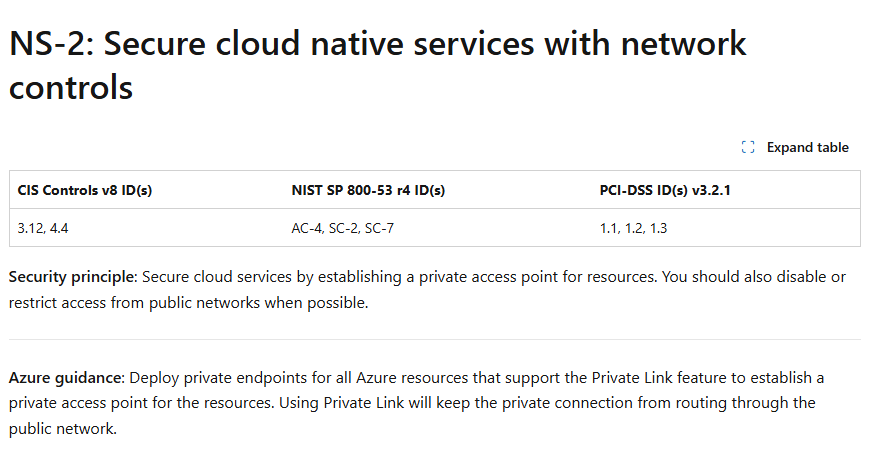
The NS-2 control in the Microsoft Cloud Security Benchmark focuses on securing Azure cloud-native services by ensuring that access is restricted to private networks whenever possible.
This means you should use Azure Private Endpoints and Private Link for supported resources to keep traffic off the public internet, enable VNet integration where available, and configure network ACLs or disable public network access to minimize exposure. By following these practices, you significantly reduce your attack surface from bad actors.
Now let’s look at Service Baselines and try to align this with our chosen Security Control NS-2.
Service Baselines
These are service specific security configurations that implement the broader MCSB controls for individual services. Currently these are only available for Azure Services.
A useful page to see the baselines for each specific service type can be found here. We will want to look at the Azure Offer Security Baselines/3.0 folder as that is the service specific implementations for the MCSB.
The security benchmarks and baselines have evolved over time:
1. Azure Security Benchmark v1 → Azure Offer Security Baselines v1
2. Azure Security Benchmark v2 → Azure Offer Security Baselines v2
3. Microsoft Cloud Security Benchmark (MCSB) → Azure Offer Security Baselines v3
Let’s continue this analysis with a common resource that you are probably already using which is Azure Key Vault. Let’s go to the documentation page linked above and download the excel file for key vault and try and find the NS-2 security controls for this service.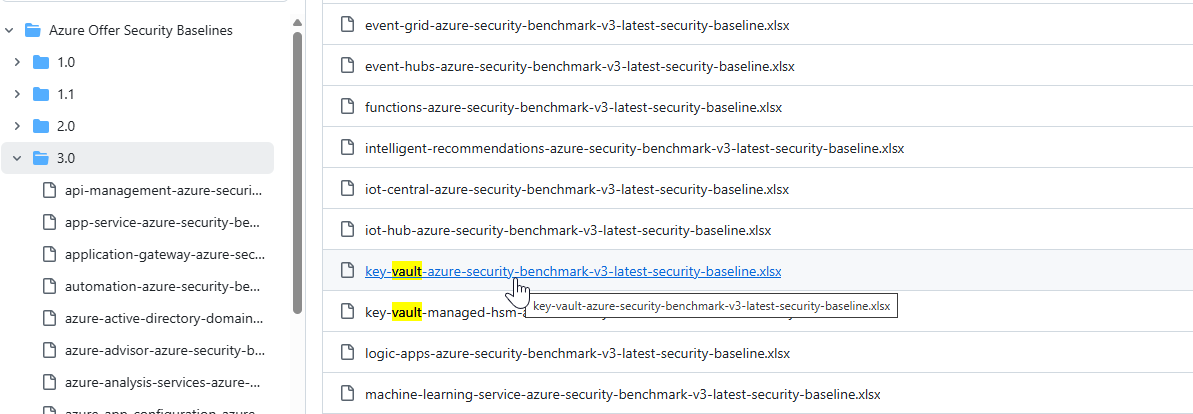
If we open the excel and filter on the NS-2 Control ID, we will see we can that Azure Key Vault has two NS-2 security controls that can be applied to it as part of the Microsoft Cloud Security Benchmark.
Protecting your Azure Environment using the MCSB Security Baselines
Great! We understand what the Microsoft Cloud Security Benchmark is, what security controls and baselines are, and how to find the security baselines for each Azure service. But how do I apply them to my Azure Environment?
There are two main ways that this can be accomplished – via Defender for Cloud Regulatory Compliance, or directly via Azure Policy. One thing to note is that Microsoft Cloud Security Benchmark itself doesn’t create its own policies, but rather serves as a framework that references existing policies to implement its security controls. It then groups these into a policy initiative which in on of itself is just a grouping of several related policy definitions.
Let’s have a look at Defender for Cloud first to see where we can apply the MCSB to our Azure tenant. There are two areas where we can see the benchmark at work:
Microsoft Defender For Cloud – Regulatory Compliance
This capability provides a mechanism to help organisations meet various compliance standards and regulations.
By default when you enable Defender For Cloud on your Subscriptions, Microsoft Cloud Security Benchmark is automatically applied. Other standards (such as CIS, NIST or PCI DSS controls) can be applied to either the subscription or management group level by following the following guide. Security standards are applied for all nested resources; so if you apply the standard to a Management Group, then all child subscriptions will also have the standard applied to it.
Once applied, we can now go into Microsoft Defender for Cloud in the portal. Navigate to Cloud Security > Regulatory Compliance in the left hand navigation pane. Under the Microsoft Cloud Security Benchmark tab, you will see the security controls that encompass the framework: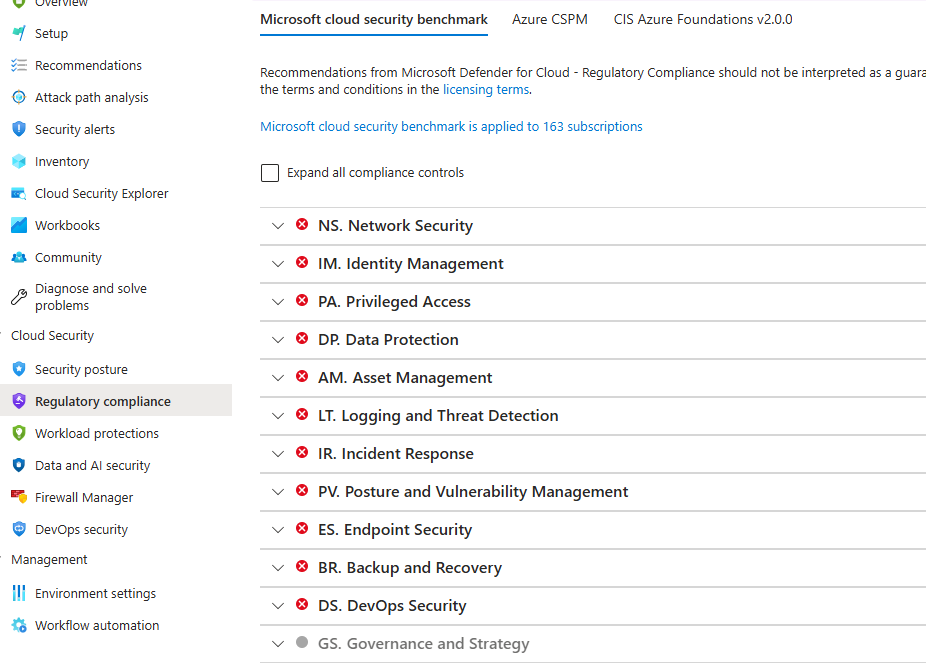
Let’s expand the NS. Network Security tab and see how compliant we are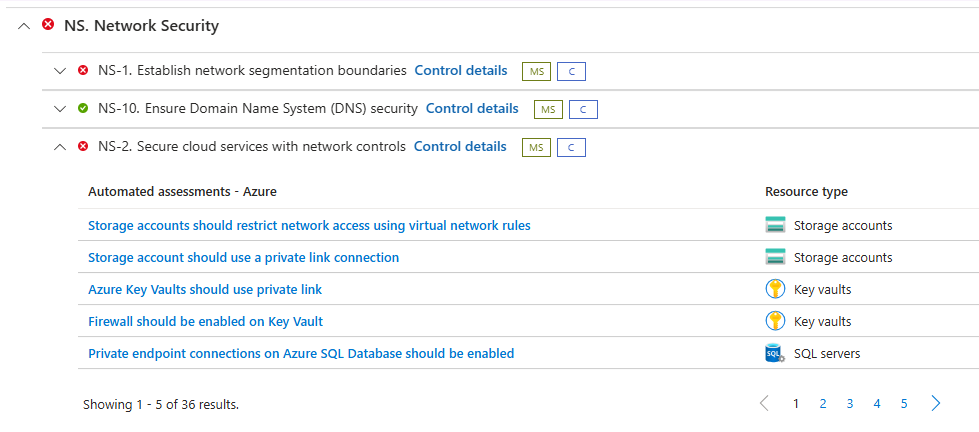
In my account I have some uncompliant Key Vault resources for several service baselines. I’m going to click on the Azure Key Vaults should use private link assessment to get more information on the specific baseline and the affected resources in question.
After navigation to the assessment, we receive the following information:
- Description – Further information on what this policy targets.
- Remediation steps – Steps to follow to rectify this vulnerability.
- Affected resources – This is lists of unhealthy, healthy and not applicable resources. The unhealthy resources (which are the ones we care about) are the specific resources that are currently non-compliant with this specific vulnerability.
Lastly we can select the View Policy Definition button to get further information on the specific policy that this vulnerability assessment implements.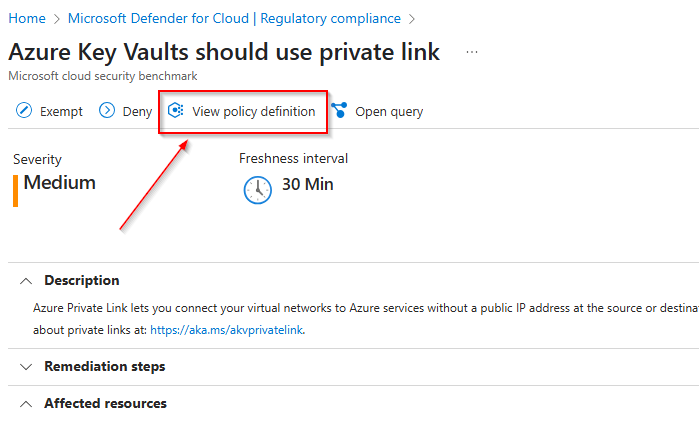
Here we can view the actual policy definition. Reading JSON format with several nestings can be a bit tedious, so I find a useful approach to be just copy the policy into some LLM model like GPT 4 or Claude Sonnet 3.7 with the prompt ‘explain this policy’. The result is as follows: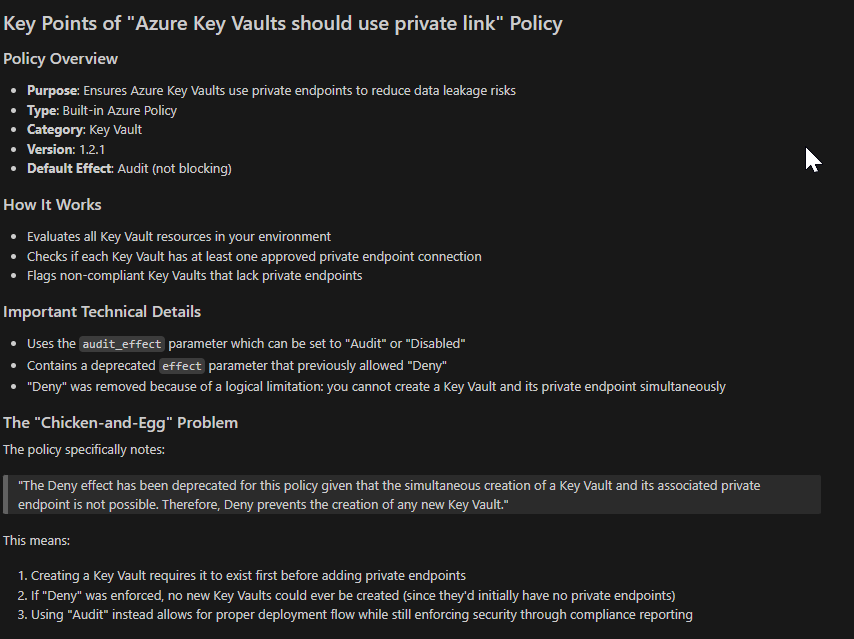
This covers it fairly well. Interestingly this policy has a deprecated parameter allowed value for effect: ‘Deny‘. The reason for this being that a key vault requires it to exist first before adding private endpoints, so if the policy was set with a deny effect then they would never be able to create a key vault. I bet this caused users some pain when this policy was first introduced…
Some other areas where you can find the Azure policy is the following:
- Azure/azure-policy github page
- AzPolicyAdvertizer page
You can search for it in these sites via the name or id of the policy.
Directly via Azure Policy
The next approach to applying the Microsoft Cloud Security benchmark controls to your environment is directly through Azure Policy. This uses the same underlying policy initiative that Regulatory Compliance uses but gives more granular control over individual policies, parameters and effects.
Azure Policy is more of a DevOps team tool, as it allows easier integration with CI/CD pipelines and management through infrastructure as code. It does not come with the additional visualisations, security score and other integrated features that comes with Defender For Cloud regulatory compliance that is more useful for a security operations team. Think of this method of implementation being a more cost effective approach where advanced security features are not as required.
In an ideal architecture, both approaches can be used in conjunction giving complementary benefits that strengthen your overall security strategy. This creates multiple layers of security controls and visibility combining detective controls (Defender) with preventive controls (custom policy effects).
You can look up the MCSB initiative in Azure Policy by searching for the name Microsoft cloud security benchmark or by the Definition ID – 1f3afdf9-d0c9-4c3d-847f-89da613e70a8, in Azure Policy > Definitions.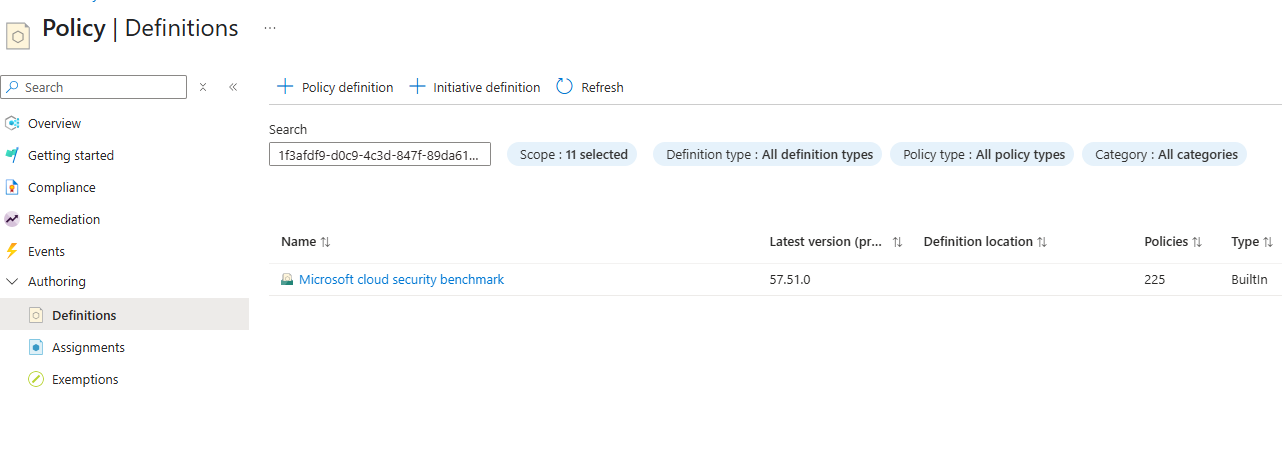
If you click on this initiative you can see the list of policy definitions that encompass it:
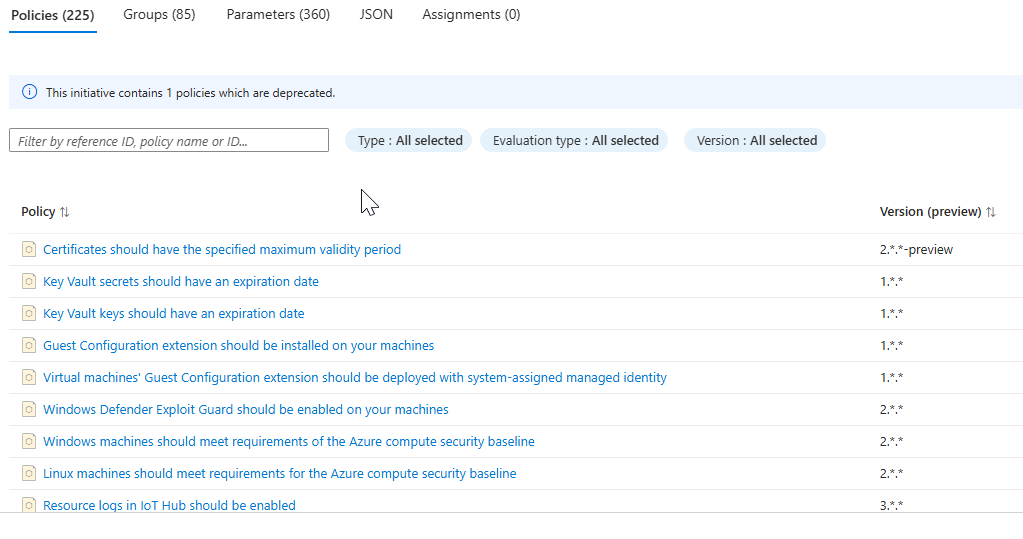
You can assign the initiative to a specific scope by selecting Assign initiative and following the prompts to assign it to your preferred scope. Ideally this should be done via IaC and CI/CD rather than clicking through the portal. 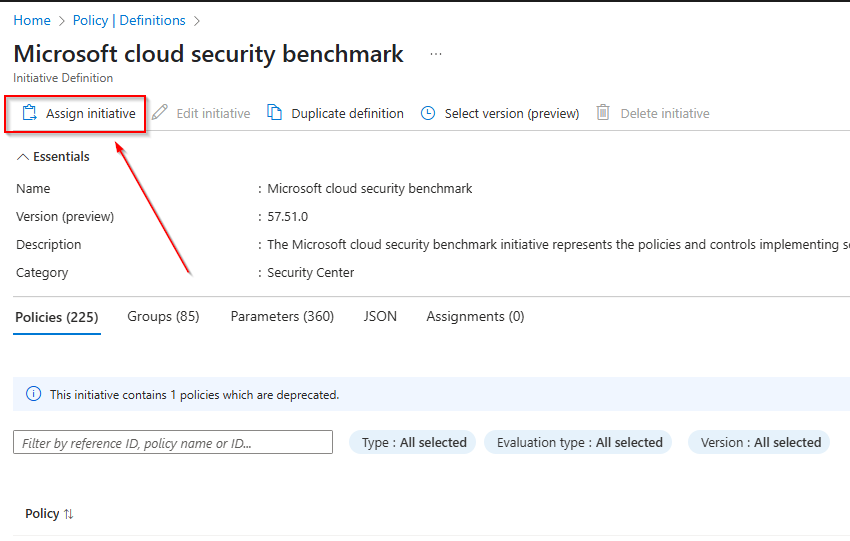
My recommendation would be to start with setting these policies to the audit effect before enforcement. This will help you with monitoring and identifying the effect of implementing this policy without affecting productivity or usability of your environment.
Finishing up
Hopefully the Microsoft Cloud Security Benchmark makes a bit more sense to you now and you now have an idea on how to apply this to your environment.
I have mentioned using CI/CD tools for managing Azure Policy. There are some great repos and documents online outlining this; the most common being the Enterprise Policy as Code initiative. If you would like an implementation or more information on this comment below and I may look at it for my next blog.

 Alex D'Antico Tech
Leave a comment