Azure Functions, Microsoft’s serverless computing service, allows developers to focus on writing and improving their application code without the overhead of managing infrastructure.
However, deploying Azure Functions using Azure DevOps Pipeline’s AzureFunctionApp@ task can sometimes result in intermittent failures. This blog post will explore these issues and provide potential solutions.
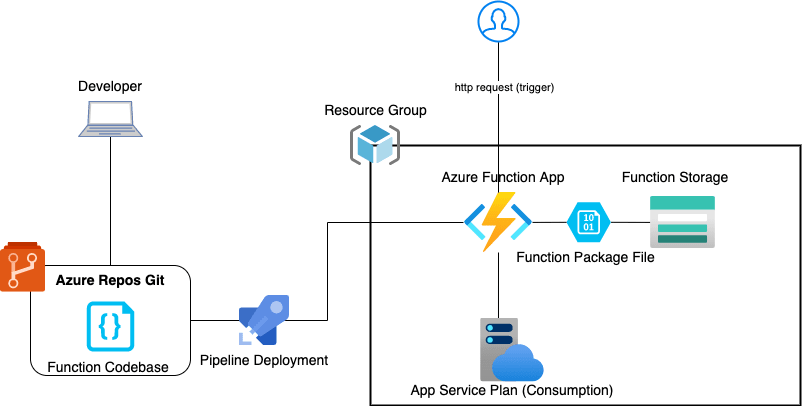
The Issue
When deploying to an Azure Function App using the AzureFunctionApp@ Zip-Deploy task in an Azure DevOps Pipeline, you may encounter intermittent failures. Intermittent failures often indicate a problem with the deployment process rather than the application code itself, as re-running these pipelines usually results in a successful deployment.
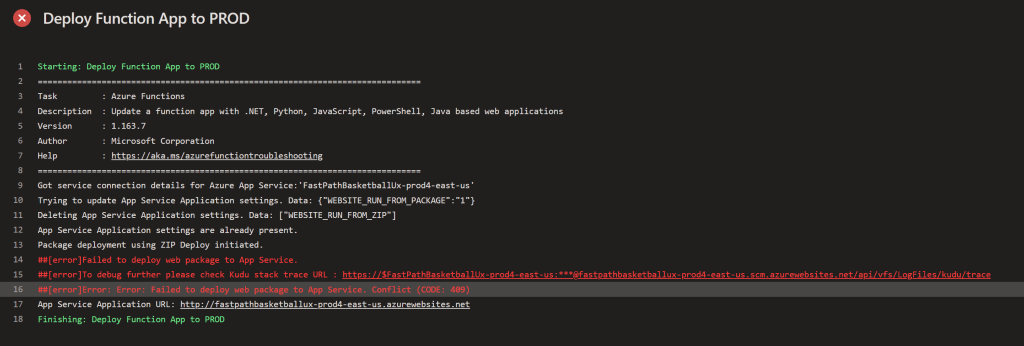
The error messages associated with these failures can vary, but they often say something along the lines of:
##[error]Failed to deploy web package to App Service.##[error]To debug further please check Kudo stack trace URL:##[error]Failed to deploy web package to App Service. Bad request (Code: 400)
Potential Causes
There are several potential causes for these intermittent failures. One common cause is network issues between the Azure DevOps agent and the Azure Functions host. These can be due to temporary network glitches, which are difficult to predict or control. I’ve noticed these errors when the Function App I am deploying to is using Private Endpoints as well as its attached Storage Account having Private Endpoints.
Another potential cause is resource contention on the Azure Functions host. If the host is under heavy load, it may not be able to handle the deployment request, resulting in a failure. You may notice these issues if you are using Function App’s dedicated plan, hosting multiple Function Apps inside one App Service Plan.
Solutions
At the time of writing this, there is no explicit fix to this issue. I have opened support tickets with Microsoft as well as extensive support forum digging, and there is no definitive answer to this problem. I think it is just a known bug with the AzureFunctionApp@1 DevOps task that has not been addressed. Some common responses to this issue I have seen include:
- Setting the App Setting Variable
WEBSITE_WEBDEPLOY_USE_SCMto True. - Setting the App setting
WEBSITE_RUN_FROM_PACKAGEto True. - Increase the App Service Plan tier to a higher SKU.
- Splitting out the Function Apps into separate App Service Plans.
- Adding a
retryCountOnTaskFailureinput to the DevOps task, which will will retry the task on failure.
For me, none of the above have worked. The only consistent solution I have seen for this issue is to switch from this task to an Azure CLI task that does the same process. See below for the code:
- task: AzureCLI@2
inputs:
azureSubscription:"${{parameters.AzureSubscription}}"
scriptType: "pscore"
scriptLocation: "inlineScript"
inlineScript: |az functionapp deployment source config-zip
--src <myZipPath.zip> --name <my-function-app-name>
--resource-group <my-resource-group>
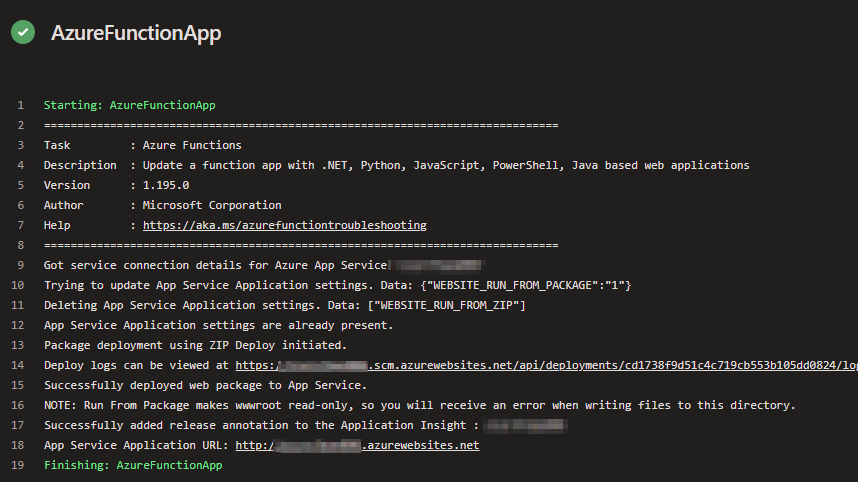
Once I switched to this, I have noticed my Function App Deployments have failed significantly less. It is not ideal, but it is preferable to manually re-running the pipelines and halting development deployments.
Lastly, the AzureFunctionApp@ task comes with a handy appSettings parameter, where you can parse in your Application settings as a string of key-values. Unfortunately the az functionapp deployment source config-zip CLI command does not accept this parameter, so you will have to update your Function App app-settings using a separate command. See below:
az functionapp config appsettings set --name <my-function-app-name> --resource-group <my-resource-group> --settings "App_Setting1=ABC App_Setting2=XYZ"

 Alex D'Antico Tech
Leave a comment